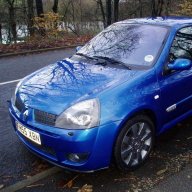
J Josh Aug 4, 2006 #1 want one for my Avatar but dont know how to size them! If anybody could help me! ? thanks Josh
TheCake Car Pink & Blue 182, JDM DC2 Aug 4, 2006 #2 Ta da Attachments IMG_0401 (Custom).webp 1.5 KB · Views: 103
S sneeks Car Citroen DS3 DSport Aug 4, 2006 #3 Here ya go http://www.sneeks.co.uk/images/IMG_0401.jpg Bugger 2 slow
J Josh Aug 4, 2006 #5 sneeks said: Wow you've added even more!!! Click to expand... sorry yeah! can you do the lot mate.
S sneeks Car Citroen DS3 DSport Aug 4, 2006 #6 Yeah I can do. Darth will probably beat me to it again
S sneeks Car Citroen DS3 DSport Aug 4, 2006 #8 http://www.sneeks.co.uk/images/IMG_0401.jpghttp://www.sneeks.co.uk/images/IMG_0412.jpg http://www.sneeks.co.uk/images/IMG_0413.jpg http://www.sneeks.co.uk/images/IMG_0415.jpg Save them from there.
http://www.sneeks.co.uk/images/IMG_0401.jpghttp://www.sneeks.co.uk/images/IMG_0412.jpg http://www.sneeks.co.uk/images/IMG_0413.jpg http://www.sneeks.co.uk/images/IMG_0415.jpg Save them from there.
J Josh Aug 4, 2006 #9 sneeks said: http://www.sneeks.co.uk/images/IMG_0412.jpg http://www.sneeks.co.uk/images/IMG_0413.jpg http://www.sneeks.co.uk/images/IMG_0415.jpg Click to expand... all the same??
sneeks said: http://www.sneeks.co.uk/images/IMG_0412.jpg http://www.sneeks.co.uk/images/IMG_0413.jpg http://www.sneeks.co.uk/images/IMG_0415.jpg Click to expand... all the same??
S sneeks Car Citroen DS3 DSport Aug 4, 2006 #12 Be sure and refresh your browser when you click on the links. Use my original links and not those you have quoted.
Be sure and refresh your browser when you click on the links. Use my original links and not those you have quoted.
daz182 Car 3 Series xdrive Aug 6, 2006 #14 To down size images right click on the image you want to open and select "open with microsoft paint" From paint, select image/stretch/skew and change the horizontal/vertical values to what you want, then save. job done. Note: this changes the actual image size and the actual file size
To down size images right click on the image you want to open and select "open with microsoft paint" From paint, select image/stretch/skew and change the horizontal/vertical values to what you want, then save. job done. Note: this changes the actual image size and the actual file size
MRBILLYUK ClioSport Club Member Car FF Jeden Osiem Dwa Aug 6, 2006 #15 Just use image resizer from microsoft , right click on image , choose size , done ! http://www.microsoft.com/windowsxp/using/digitalphotography/learnmore/tips/eschelman2.mspx
Just use image resizer from microsoft , right click on image , choose size , done ! http://www.microsoft.com/windowsxp/using/digitalphotography/learnmore/tips/eschelman2.mspx
UncleGrumpy Car A red missile Aug 6, 2006 #16 ^^ What he said, its so much easier than *****ing around with photoshop.