Fiat Panda 100hp
I have got a css menu from http://meyerweb.com/eric/css/
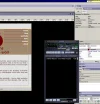
And im trying to edit it so that there are no lines shown (see pic) but I cant find which bit of the css i need to change to do so.
Anyone an ideas?
And im trying to edit it so that there are no lines shown (see pic) but I cant find which bit of the css i need to change to do so.
/* CSS MENU EFFECT */
/* from Listamatic - Eric Meyer */
#navcontainer
{
padding:0px;
width:190px;
height:190px;
margin-left:526px;
}
#navlist
{
padding: 0px 1px 1px;
margin-left: 0px;
margin-top: 0px;
font: bold 12px Verdana, Helvetica, sans-serif;
background:#990000;
width: 190px;
}
#navlist li
{
list-style: none;
margin: 0;
border-top:#990000 1px solid;
text-align: right;
}
#navlist li a
{
display: block;
width:190px;
background: #9F876F;
text-decoration: none;
padding-top: 0.25em;
padding-right: 0.25em;
padding-bottom: 0.25em;
padding-left: 0.25em;
border-left-width: 0em;
border-left-style: groove;
Anyone an ideas?