ClioSport.net

This is a sample guest message. Register a free account today to become a member! Once signed in, you'll be able to participate on this site by adding your own topics and posts, as well as connect with other members through your own private inbox!

  • When you purchase through links on our site, we may earn an affiliate commission. Read more here.

Picture taking help... pics inside..

http://www.cliosport.net/forum/showthread.php?t=390637

Pics in the link above.

basically i've bought a new camera, using it on manual mode in good light i'm using photometry Multi, ISO 64, exposure 0 then in the shade i'm using ISO 100 - 200 seems to become a bit speckly... i also up the exposure to 2/3..

Alot of my pictures however still appear very dark, or poor quality just wandering if there are any tips to help ?

Also..Can anyone tell me why on the pictures below, the sun is shining on my car which makes the paint look quite deep, however the camera makes the colour look very light instead of a nice deep blue that it is...

Cheers for the help
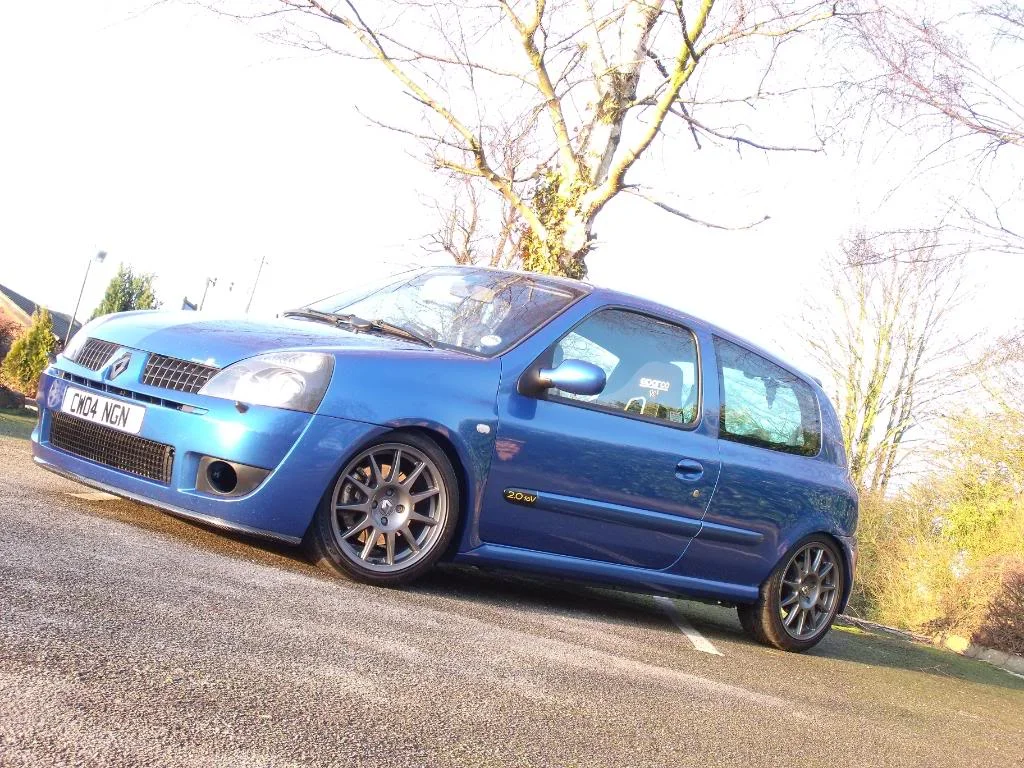
DSCF0331.webp


Dark in shaded light - what needs adjusting ?
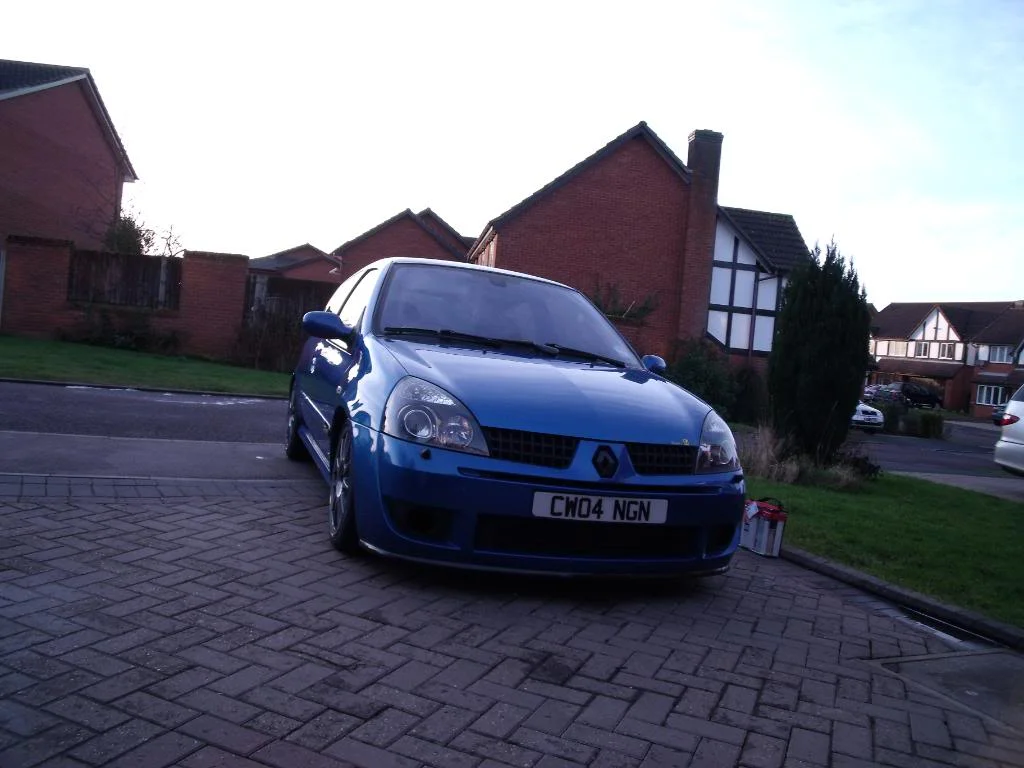
DSCF0002.webp
 
Think that second pic looks alright actually. I'm no expert (and probably wrong), but I think a polarising filter would cure up a bit of that light glare from the first pic, or having a less shiny car ;)
 
Top one looks over exposed to me. Second one has a blown out sky but the car is slightly under exposed.

From the sky, it looks like you were shooting towards the sun in the second pic, that wont have helped the cameras metering. Try and reposition yourself to have the sun behind you.

I see that you are using spot metering too. Try changing that to whatever you camera calls it to look at the whole picture instead of one point, it will give you more balanced exposures.

Next time, take you shot in manual, then take one in A, P or fully auto and see how they compare. You can then check what the camera chose to do, versus what you have done.
 
Are these good ? I started off with pretty poor pictures but quick 1 minute edit in photoshop and they look good to me..Do most edit pictures before posting ?

saturdaynigth024.webp


saturdaynigth029.webp


saturdaynigth041.webp


saturdaynigth050.webp


saturdaynigth045.webp


saturdaynigth067.webp


saturdaynigth059.webp


saturdaynigth078.webp


saturdaynigth073.webp
 
the night pics look a lot better mate, check you havent got any presets on like heavy contrast or something as the top two look badly exposed, the top being over exposed and the bottom being slightly under with a bleached out sky
 
TBH it could of been me messing around with the exposure, i always find when taking pictures from low down, out side with bright sky it never picks up the car very well... Anything i'm doing wrong ?

used 3:2 aspect ratio for those too
 
Back
Top