ClioSport.net

This is a sample guest message. Register a free account today to become a member! Once signed in, you'll be able to participate on this site by adding your own topics and posts, as well as connect with other members through your own private inbox!

  • When you purchase through links on our site, we may earn an affiliate commission. Read more here.

connecting laptop to tv???

Car  clio 172 flame red
hi, i have just bought a dvi cable and connected it straight from the laptop to the tv but i cannot get any picture at all just total black.my graphics card picks it up to change the settings but nothing comes through. any ideas

 
what do you mean? i have put it on av but there is nothing . am i better off using s-video lead? than dvi? thanks
 
depends on what imputs your TV has. I'm assuming that your TV has a DVi input.
So are you running your main monitor at the same time and then plugging your TV into the other output for the graphics card?
Or just running your TV and not the regular monitor?
 
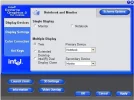
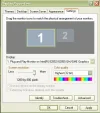
yes my tv has a dvi socket. i am running both the monitor and the tv at the same time, my graphics card aint the best though.Should the tv show my desktop on my tv as its blank with these settings see pic or do i need a program to get a picture on.cheers
 

Attachments

  • settings.webp
    settings.webp
    27.9 KB · Views: 83
  • untitled.webp
    untitled.webp
    25.2 KB · Views: 83
Last edited:
you have to click on the box that says '2' and select the tickbox 'Extend my Windows Desktop onto this monitor'

then your desktop will extend to your TV, you can make a clone but I'm not sure how you do that off the top of my head.
 
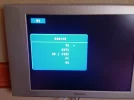
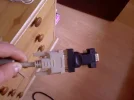
i dont know what you mean? i try all channels yer and nothing on any of them?? i have tried all of the options in the pic attched nothing. for my laptop i have an adapter for the dvi cable is this correct? thanks for your help
 

Attachments

  • Photo-0069.webp
    Photo-0069.webp
    172 KB · Views: 71
  • Photo-0070.webp
    Photo-0070.webp
    84 KB · Views: 78
It could be down to the resolution of the laptop output. If it does not match the screens resolution, you dont get a picture.

Try connecting everything up, turn on the TV, then turn on the laptop. It should automatically adjust the picture size to that of the TV.
 
Back
Top