This is a sample guest message. Register a free account today to become a member! Once signed in, you'll be able to participate on this site by adding your own topics and posts, as well as connect with other members through your own private inbox!
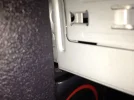
Kieran it'll be the wiring harness. You need to tuck the harness and connectors down the hole at the back on the left.
It takes a bit of fiddling but can be done.
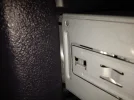
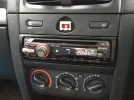
Joshie from your picture it looks like you've already got another cage in there!?
Unless that other metal bit is the headunit?
You need to put the cage in first. take whatever is in there out. And the cage will go in.
James thats the cd player itself, i tried putting the cage in by itself but i couldn't do it, then i tried putting it in whilst the cage was already on the cd player, basically trying all different ways to get the cage into the slot. I think i may have managed to do it now because where I have kept trying to force it in, it has scraped some of the plastic away from the surround lip and creating just that 1mm or so to let the cage fit in