
ClioSport.net

This is a sample guest message. Register a free account today to become a member! Once signed in, you'll be able to participate on this site by adding your own topics and posts, as well as connect with other members through your own private inbox!

  • Due to ongoing maintenance work some features and functions (including Dark mode!) may be unavailable or visually appear differently.
  • When you purchase through links on our site, we may earn an affiliate commission. Read more here.

How to create a certain effect in Video... help!

mas

Car  MK7 GTD & Mini GP
I want to try and create tis sort of effect, but in video format.....
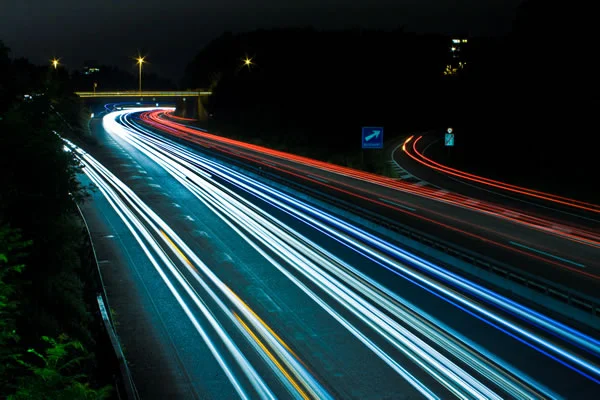
1.jpg


Its going to be used as a promotional video for my familys estate agency, we have four offices and each is in a location where relatively roads are outside.

How do you create it? I have seen it done, but cant find any examples!

 
You could do it as a timelapse, 1 photos a second with a 0.5sec shutter speed... have you tried shooting it as video yet to see what happens?
 
Not tried, the idea came to my head today.

A time lapse, I know it had a name. So how do you go about stringing all of those images together as a video?
 
Just add them in as singles frames in whatever your editing program is.

If you shoot at 500ths a second, in the dark, you're just going to get a load of black. Nothing at all. You'd want 15 or maybe 20 seconds depending on your aperture to create the effect above.

Can you slow it right down with regards to fps speed? Say 5fps, would that give a blur?
 
Well Quicktime does it which surprised me. File > Open Image Sequence, choose files and done! Then can import to Premiere/Final Cut and Speed it up

http://www.vimeo.com/12079928

0.8 seconds exposure & 1 second interval.
It gives that smooth motion at 24fps.
 
Thats the time of thing I was after, thats great! So, how do I set my 550D to take shots every second?
Sam
 
3 options I think - easiest first.
1. Cheap remote from eBay - got mine for £18
2. Take a laptop and use software to capture
3. Do it yourself, your finger will hurt and won't align properly lol!

:)
 
Does your camera not have some form of interval shooting delay timer in the menu's?

Unsure exactly what it's called on the Nikon's.
 
the really good examples of these are shot on multiple cameras or specialist cameras, not many cameras can shoot upto 27 frames a second with each frame sitting at 15 second exposures.
 
Starting to sound complicated.

Maybe just a simple video is what I need LOL
 
You want it too look like the video above. Having massive long lines won't look very good imo.
 
Back
Top