ClioSport.net

This is a sample guest message. Register a free account today to become a member! Once signed in, you'll be able to participate on this site by adding your own topics and posts, as well as connect with other members through your own private inbox!

  • When you purchase through links on our site, we may earn an affiliate commission. Read more here.

PC for Video Editing Help

Dell Refurbished 27 inch Monitor - S2722QC

Are you using a USB C cable that was provided with the monitor? It does support Alternate Mode DP1.4 with data/audio capabilities (as well as providing power to a connected device up to 65W).

If you have another USB C cable, I would try that. Otherwise, stick to the HDMI to save the hassle.
 
Are you using a USB C cable that was provided with the monitor? It does support Alternate Mode DP1.4 with data/audio capabilities (as well as providing power to a connected device up to 65W).

If you have another USB C cable, I would try that. Otherwise, stick to the HDMI to save the hassle.
Ok thanks.

Am using the one that came with the screen, its not a big deal. Was just curious thats all.
 
Ok thanks.

Am using the one that came with the screen, its not a big deal. Was just curious thats all.

According to the spec for that monitor, it should work just fine with the USB C cable. Maybe that bit didn't get refurbished?!? To be honest, the HDMI gives the same result in this case - 4k @ 60Hz. You're not losing out other than being able to potentially charge a notebook/low power laptop.
 
so transfer windows from the spinning hard drive to the NVMe drive, the difference is unreal.

looking at the below photos. i have a spare SSD drive im keen to put in, its not massive but its just sat in a draw. on the HDD drive cable there is a spare connector, can i just put that in?

keen to keep the spinning drive as its 2tb. so good for storage.

iEfeEB.jpg


FelCPt.jpg


OBzrEb.jpg


alkENw.jpg
 
😬😬
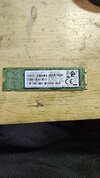
It's not an ssd as I expected!

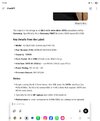
If i plug this into the NVMe slot and it's not compatible, could I damage something? Or would it just not work?
 

Attachments

  • Screenshot_20250602_133258_ChatGPT.jpg
    Screenshot_20250602_133258_ChatGPT.jpg
    514.6 KB · Views: 140
It won't fit if I'm understanding correctly.

They are keyed differently.
Bugger...
Photo below.

I've got an actual 60gb ssd drive. I note there is a free sata connector on the board, next to where the hdd is plugged in. Could I use this for my 60gb ssd?
 

Attachments

  • 20250602_135011.jpg
    20250602_135011.jpg
    1.8 MB · Views: 153
anyone got any suggestions?

just got some 2TB nvme drives, but when i plug into the board nothing! its not showing

this is what ive just received -

afsRKf.jpg


fpSZ9Y.jpg


you can see its location in the pc here -

8kbJ06.jpg


this is the one that came with the pc -

U2jmhD.jpg


JjimQA.jpg
 
Back
Top