
ClioSport.net

This is a sample guest message. Register a free account today to become a member! Once signed in, you'll be able to participate on this site by adding your own topics and posts, as well as connect with other members through your own private inbox!

  • When you purchase through links on our site, we may earn an affiliate commission. Read more here.

Photoshop - A few questions :)

The Boosh!

ClioSport Admin
Car  Elise, Duster
First of all im not expecting to be fed data as I want to learn how to use this programme myself, by the means of trial and error!

After getting PS I have been following this website:
http://www.melissaclifton.com/tutorials.html

To learn a few things on PS.

I jumped in at the deep end and I am currently trying to make some pop art/vector images out of this:
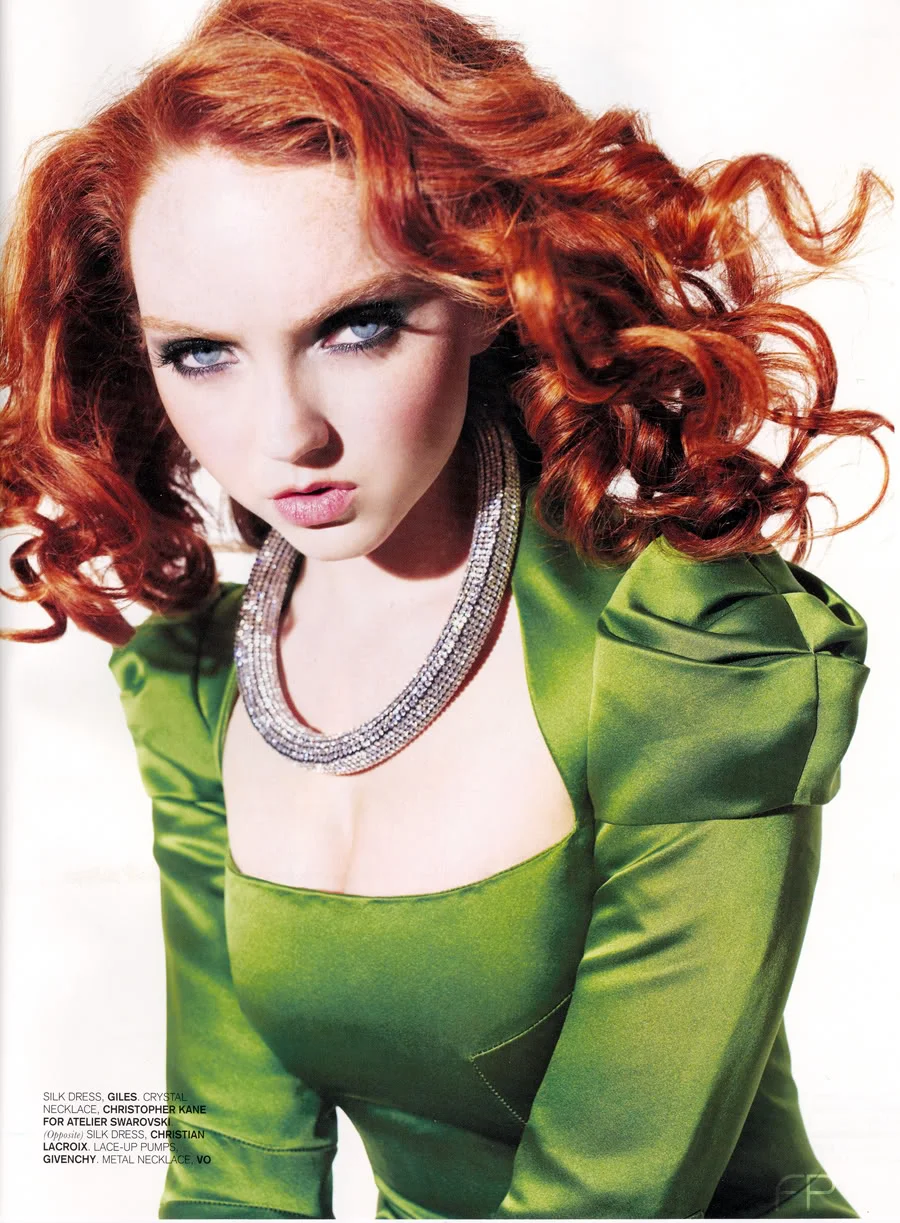
LILLYCOLESURFACEMAG.webp


Basically I was wandering if any of you PS'ers out of there can recommend any sites that help with arty stuff like the above, as the guide I have got on the above site is a bit... vague!
Also any links to useful sites for tips (i'd like to learn how to change the colour of cars/CC etc) would be much appreciated

Finally - Where can i find some High Resolution images? I'v figured out that these work better and cant seem to find any on google etc.

Thanks and sorry for the long post :)

Luke
 
can someone quickly explain how to fill an area with a certain colour, because when im selecting an area and clicking a colour and the fill "paint bucket" icon tool its not filling the whole area its just like, following the persons face. i want the area one colour
 
Its because its not all one colour. You can either use that selection to fill on a different layer or adjust the tolerance which will let you fill more in.
 
boosha...told you the boy has skills ;)
from the looks of it... seems like its alot of patience with the polygonal lasso tool

[youtube]Jd3ZOQuenN8[/youtube]
 
Nah nath, iv learnt its all about the pen tool... they both seem to do the same thing. go round the thing with the pen and click on make selection :S Dunno. il look at the vid when im at home aswell :) P.S boy has skills yes lol
 
all that video is using the pen tool making vectors around the face, just started doing this at college now!
 
Im getting better :o had a bash at vector but just built up loads of layers and confused myself... still looked good though!
 
^^ dont know what masked means mate, but i would be able to go round her face like the above. did u use lasso tool or pen tool pal?
 
neither, i used quick selection tool, it's onlyon CS3 and CS4, what version have you got? It literally takes seconds. I have a few more tips for you to follow.
 
mate have a look on the computer arts magazine website
http://www.computerarts.co.uk/

look at the tutorials section ....theres hundreds of useful tutorials for all kinds of techniques and effects! most have pdf downloads and supporting files to help you follow the tutorials properly!!

Done!
 
you can patiently use the magic wand by clicking everywhere you want to cover with the selection aslong as you hold down the shift key everytime you press a new area. give it a go, im about to post how to fill an area in a particular colour too.
 
pen tool rules all!! bit more advanced than simple lasso but you can get much neater, rounded edges when selecting bits of an image like a face! trying to follow the curvature of that birds cheek bones and forehead with just the lasso is mental when you compare it to how easy it can be with the pen!!
 
go to image, adjustments, hue and saturation

prtscrn1copy.webp


you then get the following box which allows you to adjust, hue saturation and lightness. It's important to tick the colourize box soyou don't get a solid colour.

PRTSCRN2.webp
 
ahhh right! and this can be used to change the colour of peoples wheels aswell? i was just selecting a section, altering the opacity of the "fill" tool and filling in the section lol
 
^ if you make your selection a 'New Layer' and fill it with either a colour (100% opacity) of even just a copy of the original selection you can alter the Layer Effects in the layers palette and get some pretty cool effects! have a play around with the other effects from the 'Image' and 'Filters' drop down menus.

Dead easy for a beginner mate and some of the stuff you can get from just using these looks pretty awesome!! blagged my way through A-Level Graphic Design using that lot haha got me an A aswell ....suckers!!
 
You didnt know and thats what learning is all about. It's cool. There are so many ways to achieve great results.

Just remember, image, ajdustments and then chose what you want to do, you can play with contrast, shadows/highlights, hue and saturation.

Before you know it you will be colour coding, lowering and tinting. lol
 
182RB/ Lowering is REALLY hard. i tried making wheels smaller aswell. FOOK me. gonna be an educational friday night :) (will make up for the drinking tomorrow!)
 
its a piece of poo.

If you want I can help you. also google digimods. you will be like a kid in a candy store.everything from lowering, customising, and putting carbon fibre masks on body panels. Fill your boots son.
 
No problemo mate.

Im going to work at 9pm so wont be about but im usually online when im at home so just holla if you need help.
 
Back
Top