ClioSport.net

This is a sample guest message. Register a free account today to become a member! Once signed in, you'll be able to participate on this site by adding your own topics and posts, as well as connect with other members through your own private inbox!

  • When you purchase through links on our site, we may earn an affiliate commission. Read more here.

Trouble with lighting when taking photo's indoors

Padso

ClioSport Club Member
Car  Merc
I recently bought a new camera as i needed to start taking photos of the things we sell on ebay.

Anyway we used to have a phototent which was useless and have changed to a plain white background.

However when we take photos they are turning out terrible with lots of noise in the picture and crap quality basically.

I have a Fuji S5700. The pics we take only need to be 640 x 480 in size to fit on our template.

Any help appreciated as i have not got a baldy about cameras!

I also have 2 x 500watt halogen lights at my disposal.
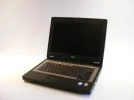
 

Attachments

  • DSCF5102.webp
    DSCF5102.webp
    17.3 KB · Views: 127
  • DSCF5109.webp
    DSCF5109.webp
    19.2 KB · Views: 137
the noise will be the iso on the camera.... its probably set on auto iso (turn it off an stick it on the lowest number you can... also try and set your background up so there isnt a corner at the bottom of the wall you want a smooth curve from the flat to the wall otherwise known as an infinity curve....
 
The ISO setting have definitely helped. I have it down to 64 whatever that means?

Attached is about the pick of the latest pictures without flash or anything and just the lights on in the kitchen.
 

Attachments

  • DSCF5118.webp
    DSCF5118.webp
    15.6 KB · Views: 138
Try exposing the background and if you camera allows you to shoot in manual drop your shutter by 1 to 2 stops and custom set your white balance also the picture on the left could be fixed with 1 click in photoshop using levels and choosing the right hand side pippet and clicking on the backdrop and it should go pure white.Other than that get some daylight bulbs and a tripod.....see example below of above image with levels in photoshop..

DSCF5102.jpg
 
The ISO setting have definitely helped. I have it down to 64 whatever that means?

Attached is about the pick of the latest pictures without flash or anything and just the lights on in the kitchen.

lower the iso the more sensitive and crisp the images are... other things to play with would be whiteballance to fine tune the image....
 
I think these look a lot better. Picture hasnt been touched in Photoshop bar resizing it.

Im using the 2 x 500watt lights. White balance incandescent. Shutter Speed 20 and Aperature F4.

Seems if i also take the picture in the full 7megapixel and resize in photoshop to 640x480 it gets rid of the jagged lines the camera takes when taking the pictures in 0.3mp format.
 

Attachments

  • test.webp
    test.webp
    15.8 KB · Views: 210
I think these look a lot better. Picture hasnt been touched in Photoshop bar resizing it.

Im using the 2 x 500watt lights. White balance incandescent. Shutter Speed 20 and Aperature F4.

Seems if i also take the picture in the full 7megapixel and resize in photoshop to 640x480 it gets rid of the jagged lines the camera takes when taking the pictures in 0.3mp format.


Yeah I'd always leave it at maximum resolution on the camera, no matter what I'm taking a photo of.. can always edit it once you've got it on the computer.

Following this thread with interest ayway, as you have the same camera as me. :)
 
that latest test was much better, the lights cover the area better so there isnt a gradient, if you are being picky then it is very slightly over exposed but nothing PS cant fix

original
attachment.jpg


edit
levels.jpg


yeh sorry, i got it round the wrong way, same i get high and low and wide and narrow apertures muddled swear im dyslexic at times.

im dyslexic and your right the apertures thing can be a little confusing sometimes, i just remember that the smaller the F number the shallower the depth of field ie F4 = small depth of field, F22 = large depth of field.
however unlike depth field the hole (apperture) that allows light into the lens is bigger at F4 than at F22
 
yeh thats the bit i get confused i know that f4 is narrower than f22 but my lecturer used to call f4 a bigger aperture than f22 (because of the size of the whole in the lens)
 
Back
Top