ClioSport.net

This is a sample guest message. Register a free account today to become a member! Once signed in, you'll be able to participate on this site by adding your own topics and posts, as well as connect with other members through your own private inbox!

  • When you purchase through links on our site, we may earn an affiliate commission. Read more here.

CAD Questions Thread?

OK so this is probably a n00b question, but it's what happens when you've taught yourself.

Anyway:

I've got a drawing that if I paste stuff into, it comes out 90 degree different to the other drawings.

Is this a case of rotating the UCS or something?


The model space in which you have copied this from has probably been rotated 90 degree.
 
Right, here's the xref:

XREF.jpg


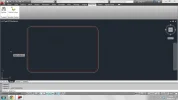
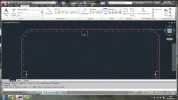
Here's the xref when put into this drawing:

XREFin.jpg


It's the same even if you copy and paste it in.

As you can see the UCS is different I'm just unsure of how to rotate it.
 
It's not the XREF though, it's anything I paste from anywhere.

I've just opened another drawing and it's like it. I hate this site.

It just needs the whole lot rotating 90 degrees anti clockwise.

EDIT: Found the solution:

Set UCSFOLLOW to 1

The UCS>Z>angle you wish to rotate.
 
Last edited:
BUMPO :D

Right Need help, trying to teach my self Autocad, to make a sunroof blank and hit a dead end lol

So basically ive made a rectangle 540mm x 835mm with a 60mm radius... thats taken me 20 mins lol

Ive oversized the panel 50mm (25mm each side)

Then ive offset a line 12.5mm inside the panel... this is where i would like rivits... 12.5mm from the edge.


How do i now do 3mm holes equally spaced around that line?

cadquestion.webp
 
Just use array

Draw your first circle at the size you want, grab it by the centre point and move it 10mm from the edge or whatever, then do 10mm array, but only 1 column, however many rows, alternatively you can copy and paste with set gaps, using one item as a relative point to the next.

Massively hard to explain sorry, if I was local I'd offer a free lesson.
 
ahh that looks like what im after rob, thanks!

not sure im doing it right

Type: AR

Select first circle ENTER

path ENTER

then enter how many repeats i want

along the line i want?
 
If you go into the different drawing space like I said, you should be able to click through and you SHOULD get prompts in the command box to help you along.
 
changed to drafting and anotation.. makes things alot easier

My problem now is how do i do the array round the radius?
 
Or do it the old school way and draw a circle at the size you want use as a guide. Obviously it won't be accurate through curves but still another process.
 
cad question.

these three objects are linked, when i hover over one all three highlight. how do i un group them?

Untitled-17.jpg
 
its really buggin me now that i cant solve this issue and its preventing me from finishing my design.

someone muyst know the anwser
 
I resolved all my issues, pretty sure I posted how?

Andy, send me it, I'll ungroup and send back? Lol!

Oh, don't tell me you've not dealt with blocks yet? Such an important part of CAD. Look up making a block, editing a block, exploding a block. Should give you all you need.

P.s didn't mean to sound like a wanker, it's just such a big thing'
 
explode kind of worked, but now all the parts are seperate, i tried to union them back together but no joy
 
I resolved all my issues, pretty sure I posted how?

Andy, send me it, I'll ungroup and send back? Lol!

Oh, don't tell me you've not dealt with blocks yet? Such an important part of CAD. Look up making a block, editing a block, exploding a block. Should give you all you need.

P.s didn't mean to sound like a w**ker, it's just such a big thing'

and attributes in blocks they are great as well.

Rob, have you ever used the eattext command? If not look it up it's great for exporting data if you have multiple blocks with information you want in a spreadsheet.
 
Right, I'm saving a drawing from AutoCAD to a landscape PDF, but when the PDF initially opens up it is portrait in orientation.

The actual document is landscape in format but is always initially opens up in portrait then you have to rotate it to view it as landscape. I need to upload my drawing to an online system and the PDF needs to landscape for it to accept it.

Hope taht makes sense - can anyone help?
 
more autocad woes...

after trying and failing multiple times to subtract solid B from solid A, i notice solid B didnt extrude properly;

I went about making a solid extrusion by making polylines, joining them etc which has worked up to now, but when i extruded solid B only the lines extruded, it didnt actually turn it into a solid... does anyone have any pointers as to make an extruded line shape into a solid?


ignore that

the shape wasnt closed.


f**k
 
Right, so I'm a pretty damn efficient 2D cad user, working with building plans most of the time, I never stray into 3d.

So, my holding down shift and using the middle mouse, I've gone into 3D, (deliberately, as I'm currently designing a drip tray).

So, I held shift, entered an isometric view, and did some bits and bobs. My question, is stupidly simple but I've never done it before, how do I now return to the "flat" view from above say?

EDIT: Sorted, just view>named views> top.
 
Last edited:
Back
Top