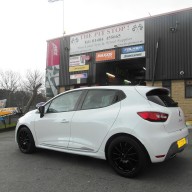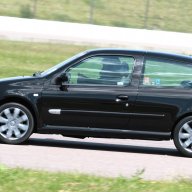
This is a sample guest message. Register a free account today to become a member! Once signed in, you'll be able to participate on this site by adding your own topics and posts, as well as connect with other members through your own private inbox!
insomnia.....firstly let me know how proficient you are on photoshop?
Not trying to insult you in anyway....but we need to mention things like "layers" and "vector masks" etc etc...
ok I will try to make it simple.....point to note_ as you already know there are more than 10 ways to skin a cat in PS.....but this is the method I always use.
step1. duplicate the layer........"ctrl J"
step2. desaturate the top layer......."shift + ctrl U"
step 3. create a layer mask........small box at the base of the layers pallette.....you should now have a solid white box next to the top layer???
step4. select paintbrush, making sure black is selected as the foreground colour, and start to paint in what you want in colour......any mistakes ( over paints etc) select white ....." X" toggles white and black to foreground...and paint out your mistakes!
hope this helps
thanks for all your good comments......hopefully I will get out to do some more this week.......the night time shots definatley look best on the racing blue.
chris...if you have some good shots that need a little tweaking PS feel free to add them in here......I am not the best at "tweaking" but will def give it my best shot!!!
just make sure the original shots are good
Not bad Insomnia.....just looks like you might not of gone far enough on the B & W.
Check your "opacity" settings on the brush, they need to be set at 100%
otherwise you don't get Blacks and Whites
another way (which i find easier, but as planet said there are several ways...)
Duplicate the pic on another layer...desaturate it....using the polygon lasso tool, select/highlight by drawing round the bit you want in colour...delete
(tip: if you don't do this to the windows then background, you can see through the window, will remain black and white instead of colour)
basically deleteing the black and white car from the 2nd layer revealing the colour car behind it on layer 1...
one I done a while ago...
How do you "frame" the pics with the black border though often wondered that as it always makes the pic look soooo much better with a black border