ClioSport.net

This is a sample guest message. Register a free account today to become a member! Once signed in, you'll be able to participate on this site by adding your own topics and posts, as well as connect with other members through your own private inbox!

  • When you purchase through links on our site, we may earn an affiliate commission. Read more here.

Excel help - removing duplicate values in different rows

Hixle

Hi Kiss Luke E****
ClioSport Club Member
Car  981 Cayman GTS
Alright guys,

Hoping someone will be able to help a brother in need!

I have two columns. Column A contains 53,604 records. Column B contains 53079 records.

So, column A contains all of column B plus 525 new items. Is there a simple way to single out these 525 records, essentially deleting the duplicates?

Cheers,
Luke.

 
Copy column B into a seperate sheet.

Put a 1 next to every value in B sheet.

Vlookup A against B, to show the 1.

Should then be able to filter anything without a 1 to show you which are the additions.

If i make no sense, drop me an email and i'll do it for you.
 
Not just a pretty face! I'll give it a go mate, cheers.
 
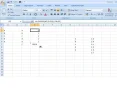
Like this:

Luke1.webp
 
I should've mentioned Mike, both columns (despite having identical data apart from the one's that are duplicates) aren't in the same order. Lol. Does that make it different?
 
I should've mentioned Mike, both columns (despite having identical data apart from the one's that are duplicates) aren't in the same order. Lol. Does that make it different?

Presuming you have a unique id to link both the columns, no will make no difference. email it me if you want me to do it you mate.
 
Cheers mate, I'll give it a go now. Yep, they're all unique - vehicle ABI codes.

It's something I'll be looking to do on a monthly basis (or at least every time an insurer gives us a new vehicle list) so should really learn how to do it myself. Expect an email if I get stuck though, lol. Cheers Luke.
 
Back
Top