Ray Gin
ClioSport Club Member
Tesla & Impreza
Don’t have a pc mate.Just download it you caveman
Well I do, but it’s in 20 boxes.
Don’t have a pc mate.Just download it you caveman


You can still cheat on PC. Just use controller.Not sure how I’ll fare without the golden aim assist.

Oiiiii we will have less of this nonsense....You can still cheat on PC. Just use controller.


NZXT H510 Midi Tower Gaming Case - White Tempered Glass
Premium case from NZXT in white, Tempered glass side window, Modular dust filters, 2x 120 mm fans pre-installed, Drives: 3x 3.5" and 3x 2.5"www.overclockers.co.uk
Anyone run this case? I fancy a change!
Ive got my own quiet bois to transfer over so not bothered with any fans that come with. I also already have some fairly lights so thats not an issue! Seems a nice looking case for the $I've recently moved mine into the H210i, they're decent cases.
The only thing I wasn't impressed with was the included fans, only due to noise though.
The "i" versions come with a built in fan/fairy light hub which I found useful due to using mini itx.
Ive got my own quiet bois to transfer over so not bothered with any fans that come with. I also already have some fairly lights so thats not an issue! Seems a nice looking case for the $

One of my mates uses controller on PC and gets on ok, he says the aim assist doesn't work though.You can still cheat on PC. Just use controller.

One of my mates uses controller on PC and gets on ok, he says the aim assist doesn't work though.
Xim Apex would help with that
I bought this, Amazon Prime taking a hammering with all ths working from home...NZXT H510 Midi Tower Gaming Case - White Tempered Glass
Premium case from NZXT in white, Tempered glass side window, Modular dust filters, 2x 120 mm fans pre-installed, Drives: 3x 3.5" and 3x 2.5"
Anyone run this case? I fancy a change!

 www.ebuyer.com
I’d look for a 120Hz one for PS5Need a second monitor for the PC set up as i am going to add the PS5 to it.
What we think of this for the PS5? Any advice would be great!
BenQ EL2870UE 28" 4K HDR Monitor
BenQ EL2870UE 28" 4K HDR Monitor from our wide range of monitors at ebuyer.com

For that spec i'd sell you my Samsung 4k monitor for £150Need a second monitor for the PC set up as i am going to add the PS5 to it.
What we think of this for the PS5? Any advice would be great!
BenQ EL2870UE 28" 4K HDR Monitor
BenQ EL2870UE 28" 4K HDR Monitor from our wide range of monitors at ebuyer.com

Zero monitors yet with 4k 120Hz and HDMI 2.1. Think March will be when the first batch start to release.Ah ok!
any recommendations for 120hz and hdmi 2.1??
Zero monitors yet with 4k 120Hz and HDMI 2.1. Think March will be when the first batch start to release.
You could just by the 48" LG CX OLED TV?


Still a couple bits to do but you get the idea.
I have a wider IKEA desk, still boxed, in the garage. If I feel a bit cramped (which I probably will) I’ll whack that in for a bit more room.
View attachment 1506201
Best waiting for HDMI 2.1 from what I’ve been readingI've been looking at new monitors for my PC and for the PS5 too. Not having much luck really. There was a LG 27" 4K monitor i was kind of interested in think it was 27UL650 or 27UK650 monitor on Amazon but it's no longer available this was just within the last couple days.
 www.ikea.com
Well... so soWell done mate, does it work?
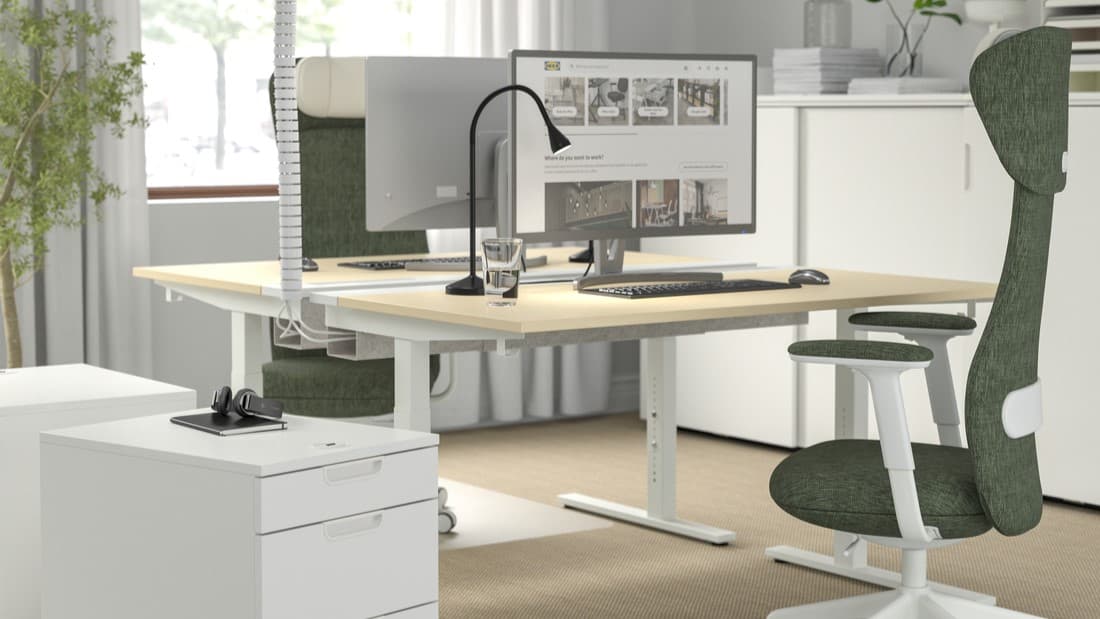
No idea mate it’s literally unopened. I’ll check my inbox later to find the model@Moonshot what Ikea desk do you have and would you recommend it? I'm looking at this one at the moment
Office Desk - Workstation - Work Desk
Discover our range of sturdy office desks and workstations that are built for commercial use. Many of our work desks come with a 10 year guarantee.
Yeah I've decided to wait, hopefully PS will release an update for 1440p. Been reading that 1440p is sort of a sweet spot for pc gamers.Best waiting for HDMI 2.1 from what I’ve been reading
Well... so so
Boots up fine but can’t do anything on the monitor using display port cable....have to use hdmi in order to view bios etc. Will this maybe be rectified once everything’s updated?
Yes (at first I didn’tAlso, sounds silly, but you have plugged it into the GPU haven't you?
) setting up windows now
Yes (at first I didn’t

So after a lot of Googling it appears I'm not alone in this issue.
The issue for you guys not getting a display is a handshaking problem between your GPU and monitor. The only resolution supported by UEFI is 1280X1024. If for some reason your GPU and TV/monitor don't handshake at that resolution, you'll see the splash screen but either get a garbled display or no display in UEFI. You'll also find you're fine when in Windows (for obvious reasons).
There is no fix for this from our side. The GPU VBIOS and monitor native resolution are where the problem lies. If the display you've connected does not handshake correctly with the GPU for whatever reason, it will likely default to its native resolution, and if that's anything other than 1280X1024 you've got a problem displaying UEFI. This happens with some TVs, projectors and monitors with certain GPUs. Older displays are more likely candidates for such problems, as are very high res monitors that use new conections ( DP 1.2 daisy chaining two monitors can create problems) . I suspect a VBIOS update from the GPU vendor might help, but chances of GPU vendors making specific VBIOS versions for this are unlikely. Only workaround is to connect a display that allows you to see UEFI or try using another method of connecting the GPU to the display (DVI instead of HDMI for example). Obviously, the latter is not a guaranteed workaround, as it depends how the display and GPU handshake on that output, too.
Problem seems to have appeared only after the 2nd last Nvidia driver update and the latest one didn't resolve it. So now if I want to enter the BIOS I've gotta plug the PC into the wee man's Xbox One S TV. Its not ideal but perfectly manageable.
Are you using the supplied displayport cable?Well... so so
Boots up fine but can’t do anything on the monitor using display port cable....have to use hdmi in order to view bios etc. Will this maybe be rectified once everything’s updated?
Yes. Changed to hdmi now though and working ok. Would I benefit much from using display port instead?Are you using the supplied displayport cable?